
SimBeam: remote control for your iOS Simulator from an iPhone, iPad, or any browser
My work has changed a lot since the beginning of this year — probably like for many of you. I wrote maybe 1000 lines of code myself; everything else was done by agents under my careful supervision. At some point I got properly hooked and was working on 3–4 projects at the same time. I almost burned out and started asking myself: what the hell is going on? We were promised a future where robots work for us, but in the end we just work more.
I decided to slow down and stop working after work, but FOMO will never let me go back to the old mode. I want to go outside more, but I don’t want to stop completely. So I started giving tasks to agents remotely — while walking the dog, following my wife around the shops, or drinking beer with friends. And then I ran into the problem of checking the result. It’s a non-problem for web developers, but a real one for iOS.
TL;DR
I built a dev tool that lets you connect to the iOS Simulator remotely and control it. You can connect from an iPhone or iPad, or from any browser.
🚨
If you can’t wait to try it:
📱 iOS app — 🛰 Landing page — 📦 Source code
Install the daemon: brew install --cask kei-sidorov/simbeam/simbeamd
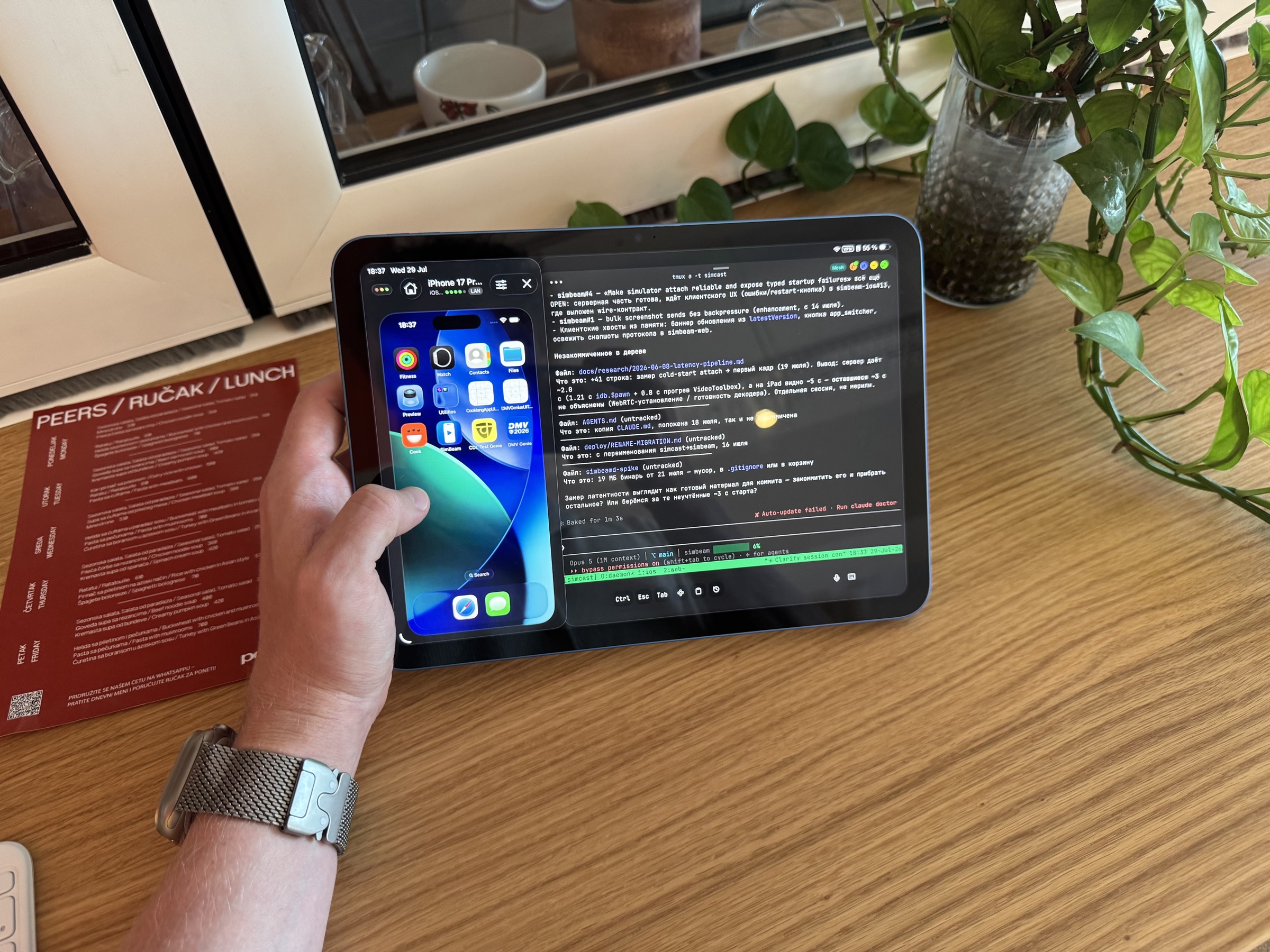
This is my travel setup: an iPad, a terminal with an agent, and a live simulator streamed from my Mac.
A bit more about the problem
Imagine: you are sitting in a queue for yet another bureaucratic procedure. You can scroll memes — or you can vibe-code (== give an agent a task and go back to the memes). You can’t always sit down with a laptop, so I learned to love doing this from my phone. You sit there, give commands to agents, read through the diff — for me it’s much more interesting than plain doomscrolling!
If you are a web developer, everything is great: the agent writes the code, a quick rebuild — and you can already see the result in a browser. But if you are an iOS developer, you won’t see the result soon: besides building, the project has to be signed, uploaded to TestFlight, processed by Apple, and then installed. That’s ten minutes in the best case. No good! I want short cycles.
Trying the alternatives
Of course, first I tried to cut corners and not write anything myself. The most obvious option is Remote Desktop for the Mac. It turned out very slow, I don’t need the whole screen anyway, and it’s really uncomfortable on a phone.
Then I found ios-bridge, a project that could stream the simulator into a browser. That was already close to what I wanted. After a couple of evenings I somehow made it work and even adapted it for the phone. But it still didn’t have the easy setup I was looking for. So I decided to write my own tool.
Sources of inspiration
It all started in January, when neither Claude nor Codex had proper remote clients. But there was (and still is!) Happy!
It’s a wrapper for coding agents that gives you access to your agent chats, with a nice interface, push notifications and voice input. All you had to do was install an npm package and start the server. A QR code appeared in the console, you scanned it with your phone, and the pairing was done: you got a stable connection through their relay server with end-to-end encryption. That was exactly the kind of experience I wanted.
What I ended up with
I dug into ios-bridge and found out that it uses Facebook’s idb — an attempt to build something like Android’s ADB — to control the simulator and pull frames from it. I thought I would reuse it (spoiler: in the end I threw it away and wrote my own thing, more on that below).
I started designing the project and settled on WebRTC. I run a signaling server that works as a transport between the Mac and the client: one side calls the other, commands go over one channel, video comes back over another. Looks great, and it seems to work well too :)
A few more technical choices: Go for the daemon and the signaling server, a native Swift app for iOS/iPadOS. I also decided to build a web client for remote access from a desktop or an Android setup.
How it works under the hood
There are three parts inside: the simbeamd daemon written in Go that lives on the Mac, a lightweight signaling broker simbeam-signal, and the clients — a native Swift one and a web one. The daemon keeps a single outbound WSS connection to the broker, so there are no open ports on the Mac. When a client wants to connect, the broker simply brings the two sides together: it relays exactly one SDP handshake and then steps aside. Video goes over the WebRTC media channel, and taps, swipes and keyboard input go back over a DataChannel, directly between the devices. All of it is end-to-end encrypted (DTLS-SRTP), even when the traffic goes through a TURN relay. During pairing, both sides pin each other’s Ed25519 keys, so the broker — even a compromised one — can break the connection at most, but it cannot listen in or pretend to be your Mac.
The most interesting part is screen capture. With idb I quickly hit a ceiling: its companion produces H.264 with a fixed GOP of about 10 seconds and gives no control over keyframes — on a sharp scene change the picture falls apart into artifacts for several seconds. Also, the last release from Meta is dated 2022. So I wrote my own small helper, simbeam-control: it attaches directly to the simulator’s framebuffer through private CoreSimulator APIs (IOSurface), encodes with hardware VideoToolbox, and decides itself when to insert keyframes — about once a second. No ffmpeg, no re-encoding: frames go from the framebuffer straight into the WebRTC track. The daemon spawns one helper per stream and reads ready-made H.264 from it, and the simulator lifecycle (list, boot, full-resolution screenshots) goes through plain xcrun simctl.
What it looks like
The whole setup is two commands:
brew install --cask kei-sidorov/simbeam/simbeamd
simbeamd serve
Then you press P in the daemon’s terminal — a one-time pairing window opens with a QR code and a link:
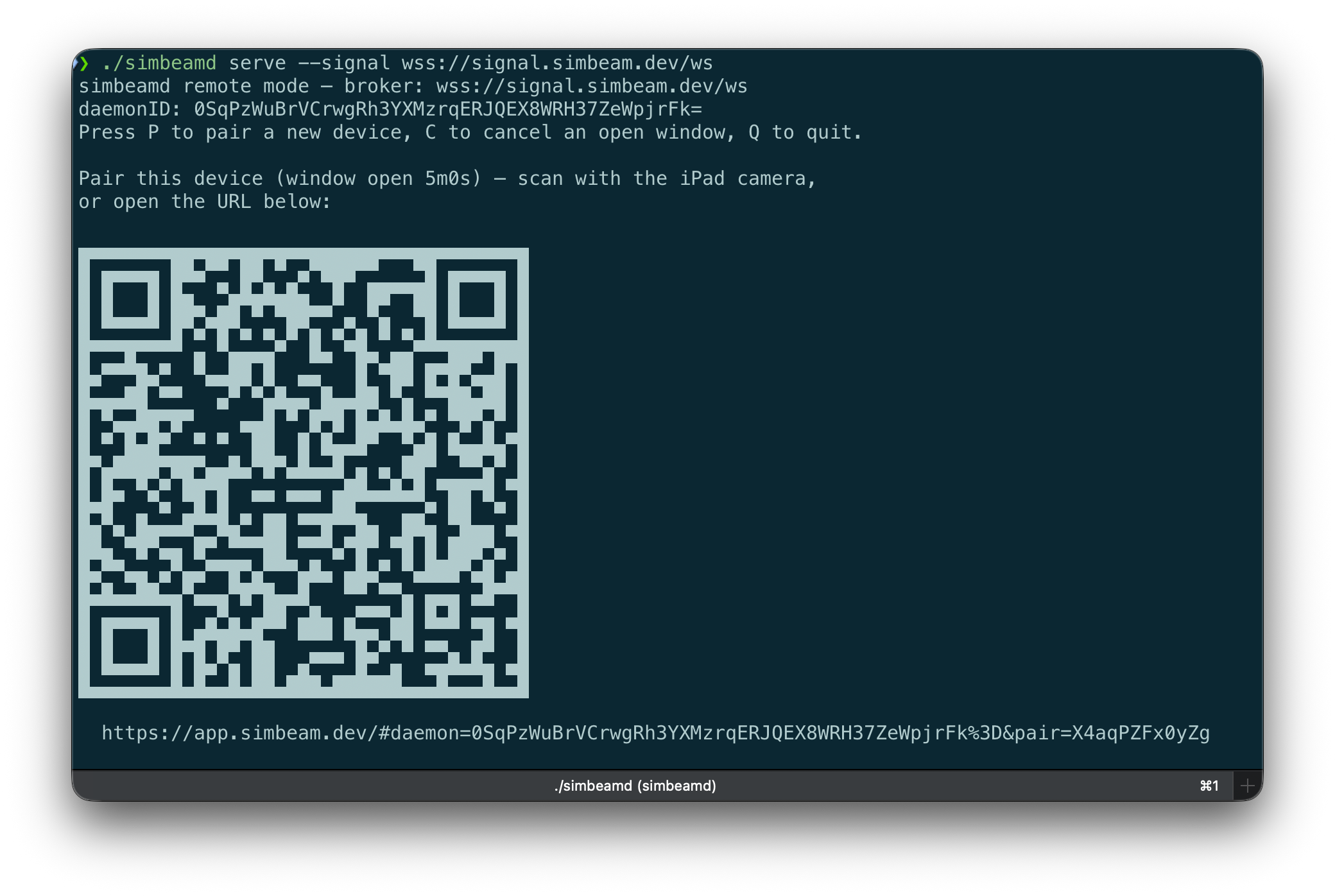
You scan the QR with your phone (or open the link in a browser), confirm “Pair this Mac” — and that’s it, the simulator is in your hand. The client remembers the Mac by its public key, so next time there is no QR — you just open the app and connect:
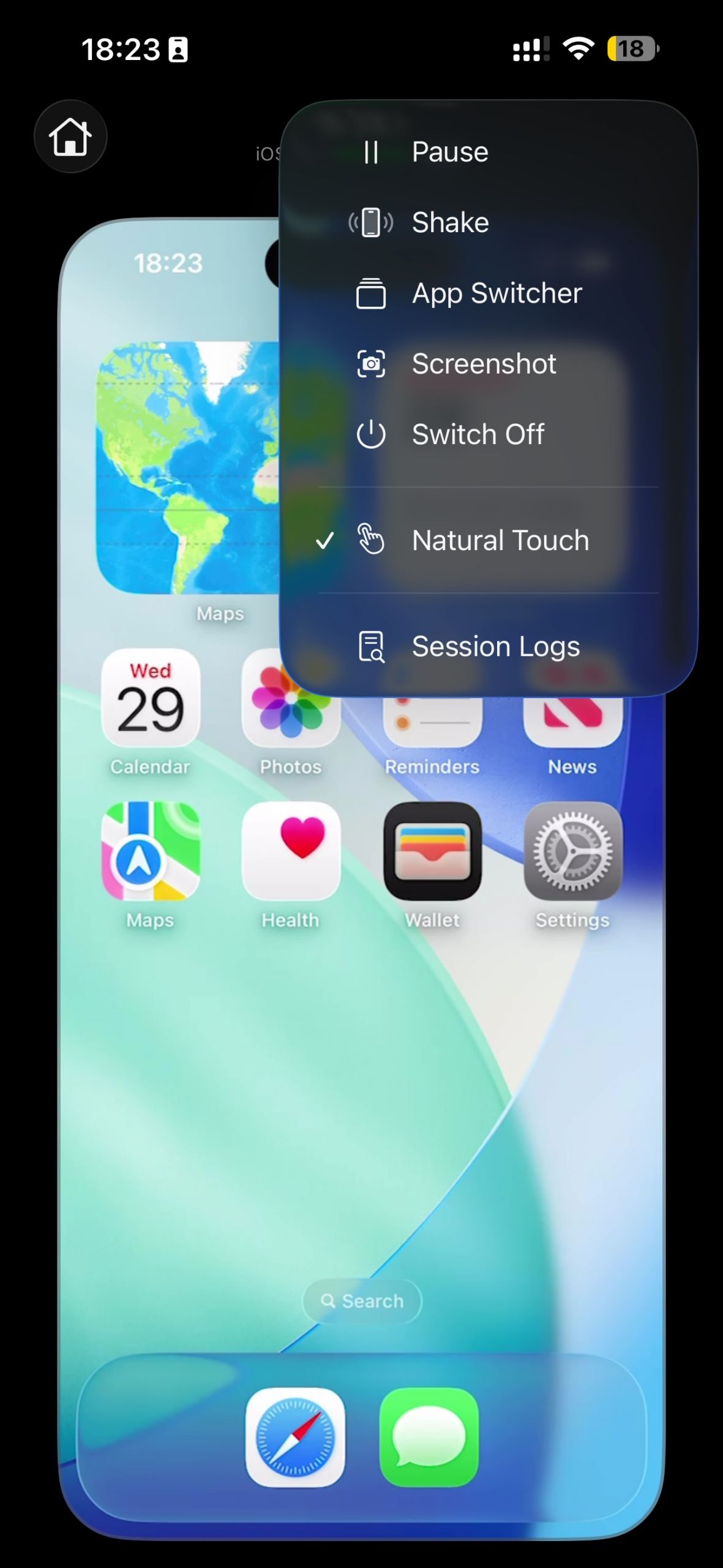
☝🏻
You need a full Xcode install on the Mac (not just the Command Line Tools) — simbeam-control talks to private CoreSimulator APIs, and the simulators themselves don’t run without Xcode anyway.
Key decisions
- I tried to make it as secure as possible, so I picked the WebRTC stack: encryption comes out of the box, and I don’t have to write any of it myself. The two sides exchange keys through signaling, and from then on the channel is encrypted.
- I wanted it to work on older systems, so it’s iOS 16+ and macOS 14.0 / Xcode 15. I was aiming at older iPads — a terminal with Claude Code plus a streamed simulator can give some tablets a second life.
- I decided to distribute it through Homebrew. First, you can see exactly what code it is built from. Second, I use private frameworks, and the Mac App Store would almost certainly reject me. And since it’s a tool for developers, brew shouldn’t be a problem.
I’ll be happy to get your feedback — and a star on GitHub if you found it useful.